
How it fits your plan
A project is what you are building or delivering. A channel is a category that repeats across projects: Writing, Design, Research, Admin, or a publishing destination such as Instagram. Each task belongs to the intersection of one project and one channel.
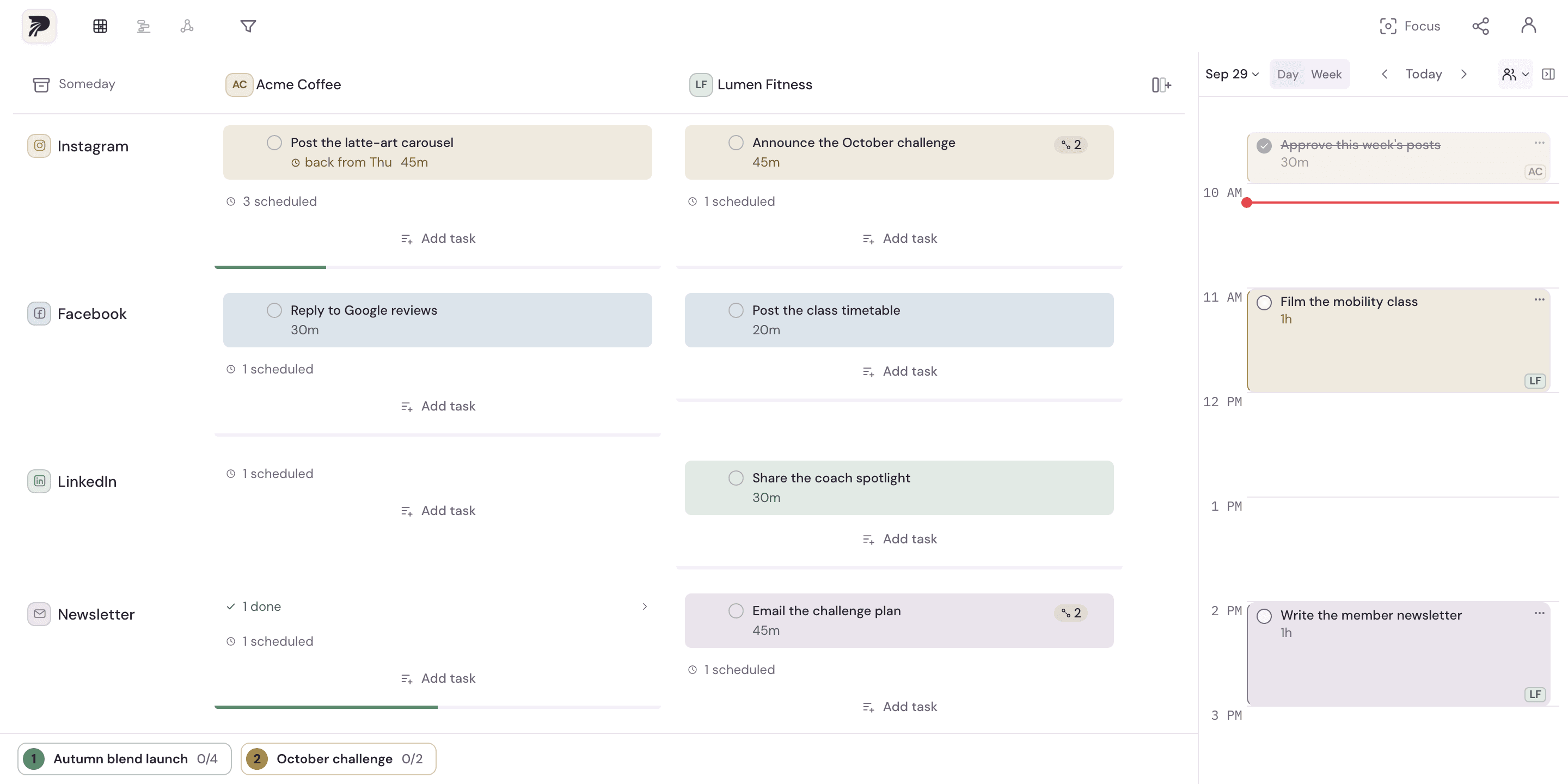
A concrete example
Put App release, Client Atlas and Newsletter in three project columns. Use Writing, Building and Admin as channel rows. A release note belongs to App release × Writing; a client proposal belongs to Client Atlas × Writing. Both remain visible in the same row without becoming the same project.
Put it into practice
Name the pursuits you want to see together
Create a project for each product, client, campaign or personal pursuit. Use names that help you recognize the work. Projects run across the top of Overview.
Choose your kinds of work
Rename existing channels or add categories that repeat across your projects. Channels run down the side. Start with a few useful categories rather than a row for every small distinction.
Add tasks where they belong
Create a task in its project/channel cell. Give it a concrete action and, when useful, a duration and a note. A task's project and channel stay with it when it is linked or scheduled.
Read the whole workload before choosing a day
Look across one channel to see similar work in different projects, or down one project to see its different kinds of work. Select related tasks when you want to plan a session together.
A few details to keep in mind
- Free keeps two projects, the default channels and two custom channels on the current device. Solo adds unlimited projects and channels plus cloud sync.
- Channels can describe kinds of work as well as publishing platforms. Polylane plans that work; it does not publish posts for you.